The app that I wanted is coming along nicely
Over the past few weeks I have been making quite the progress in reviving my app development skills.
It helps to have a goal in mind for motivation.
The app I wanted to build is now somewhat functional and I am vey happy about that.
It’s a location comparison app that I have dubbed “Liveability” because it will help rank homes or workplaces (or hotels… plenty of applicability) according to the proximity and accessibility of services.
So far, leveraging BeeWare and Apple Maps, I have gotten the routing working. Next to come will be ranking and creating a full report.
It’s been a fun journey because I learned a lot about iOS and Rubicon, after having used Objective-C quite a long time ago. At the end there I made a big push for simplification and modernisation, adopting as much async as possible. Remember this is serving as practice too so I am focusing on me, not an AI, doing the coding as much as possible (I’m also still a cheapskate on AI agent plans).
I am finding Gemini 3.6 Flash markedly better than previously for co-programming with me. I requested an ORM solution and it smartly suggested Peewee that I have now integrated (rolling your own is an excellent first step but it doesn’t scale and I was falling into a copy-paste trap). I did do a quick experiment in Google Antigravity but I ran out of free credits very quickly as expected, that was nice and re-engaged my senior engineer manager skills - I can appreciate the draw to these but they certainly don’t save you time (chatty and confirmations) but they do increase wha you can do quite well. They are definitely targeted at the laptop which isn’t my odd niche. Some colleagues have suggested “have my agent talk to your agent” workarounds (oh dear!).
I’ve pretty much exercised every Toga widget built-in in this and my other apps now which is why I like Toga - its constraints are its positive - it makes it approachable and learnable. I need to spin out the extra widgets and helpers if only for myself in future apps. I’m planning on a summary article on how I’ve used Rubicon too because that is excellent, but only once you understand it (Gemini helped immensely here).
I am so close to the $144.99 buy button for the Apple Developer Program.
This time’s “donation” was to the Working Copy developer - that app is keeping me safe and backed up. This unlocked the newer sync engine between it and my Documents folders which does so far appear to work better - mostly because it copes with resetting to a folder after an app re-deploy drops the sync connection.
Obligatory screenshots for the app are obviously hard for a location-based app. I have to remember to strip out and use dummy locations. But here you go:
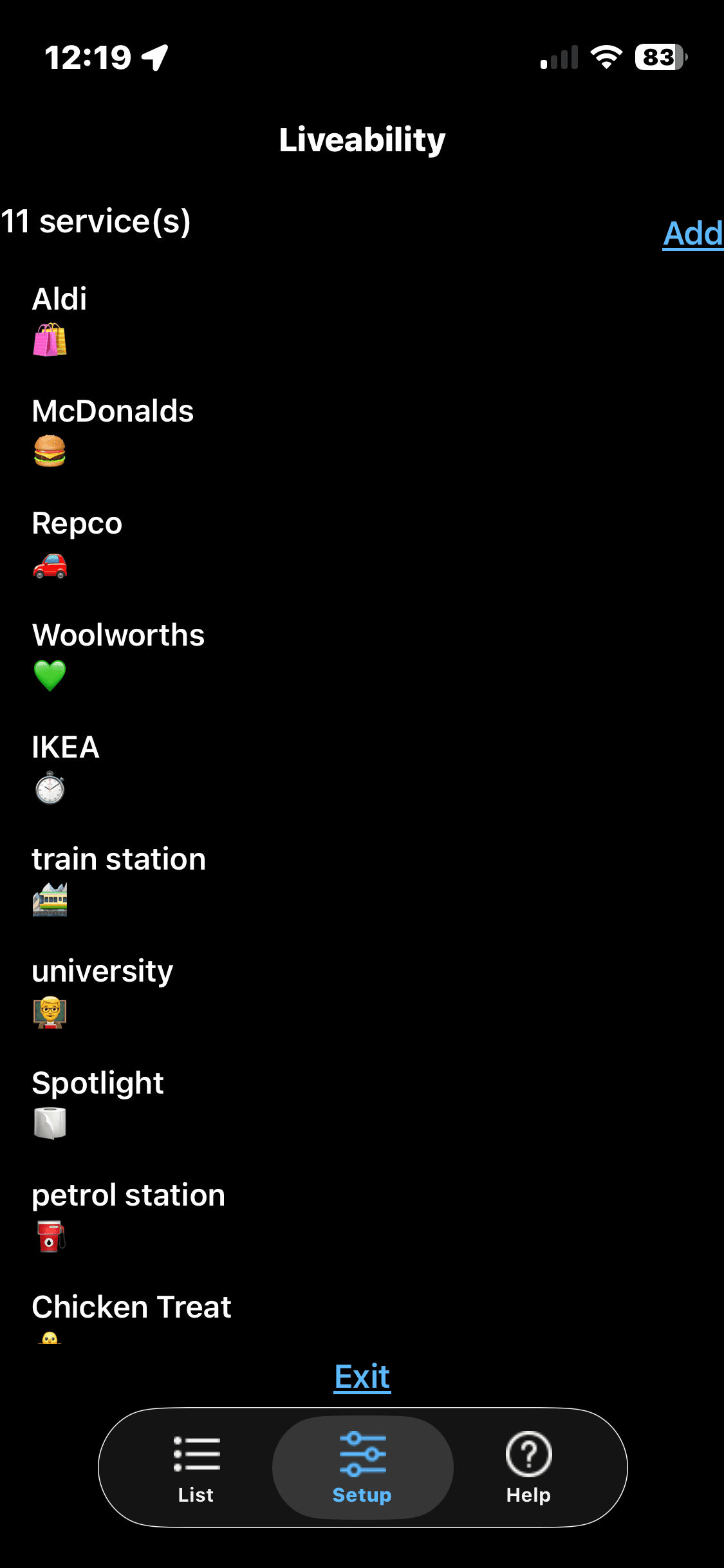
First you Set Up the Services to look for at each Address:
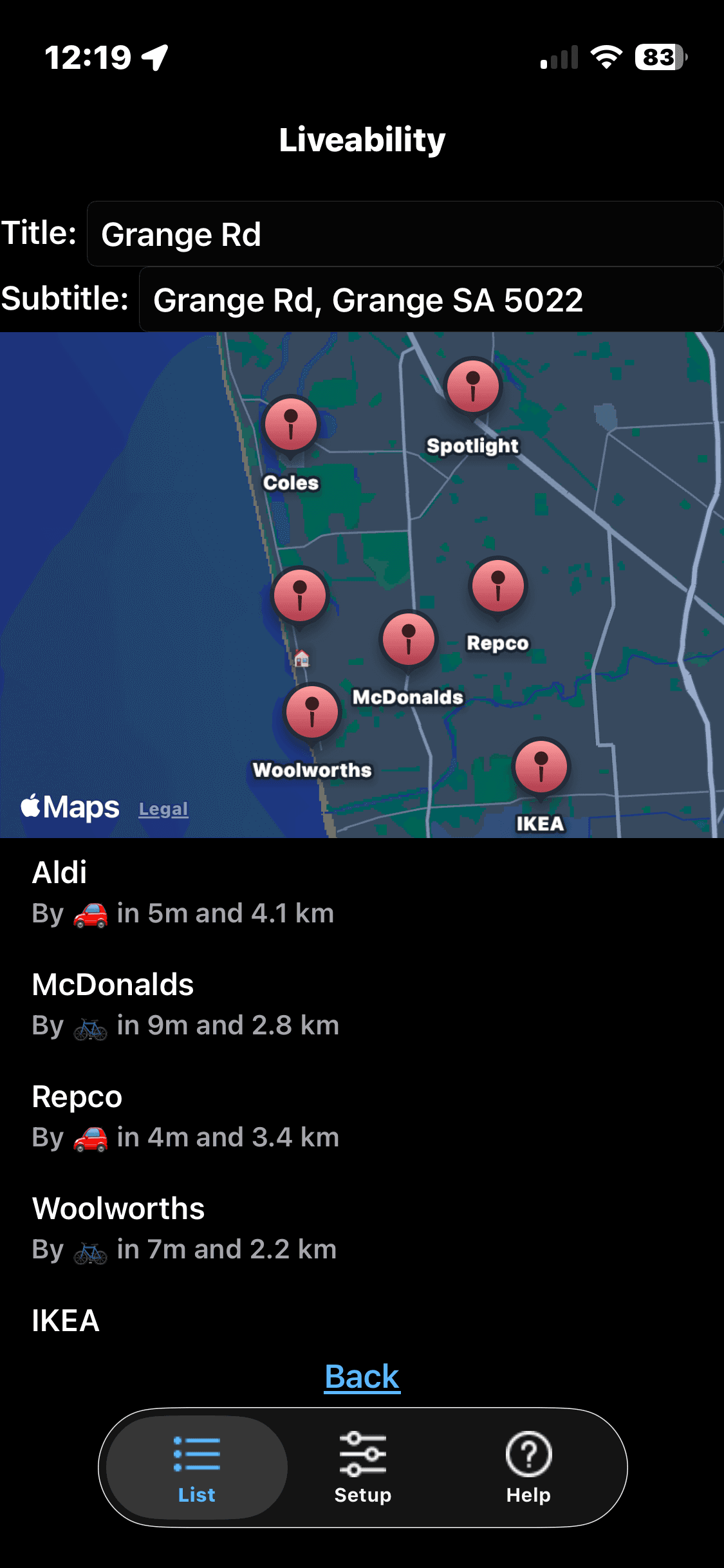
Then for each address you add you will be able to see where the nearest of those services are and what mode of transport you would use.
And there’s a nice summary home screen for all of your addresses which acts as the ranking view. More cars on this screen is not a good thing!
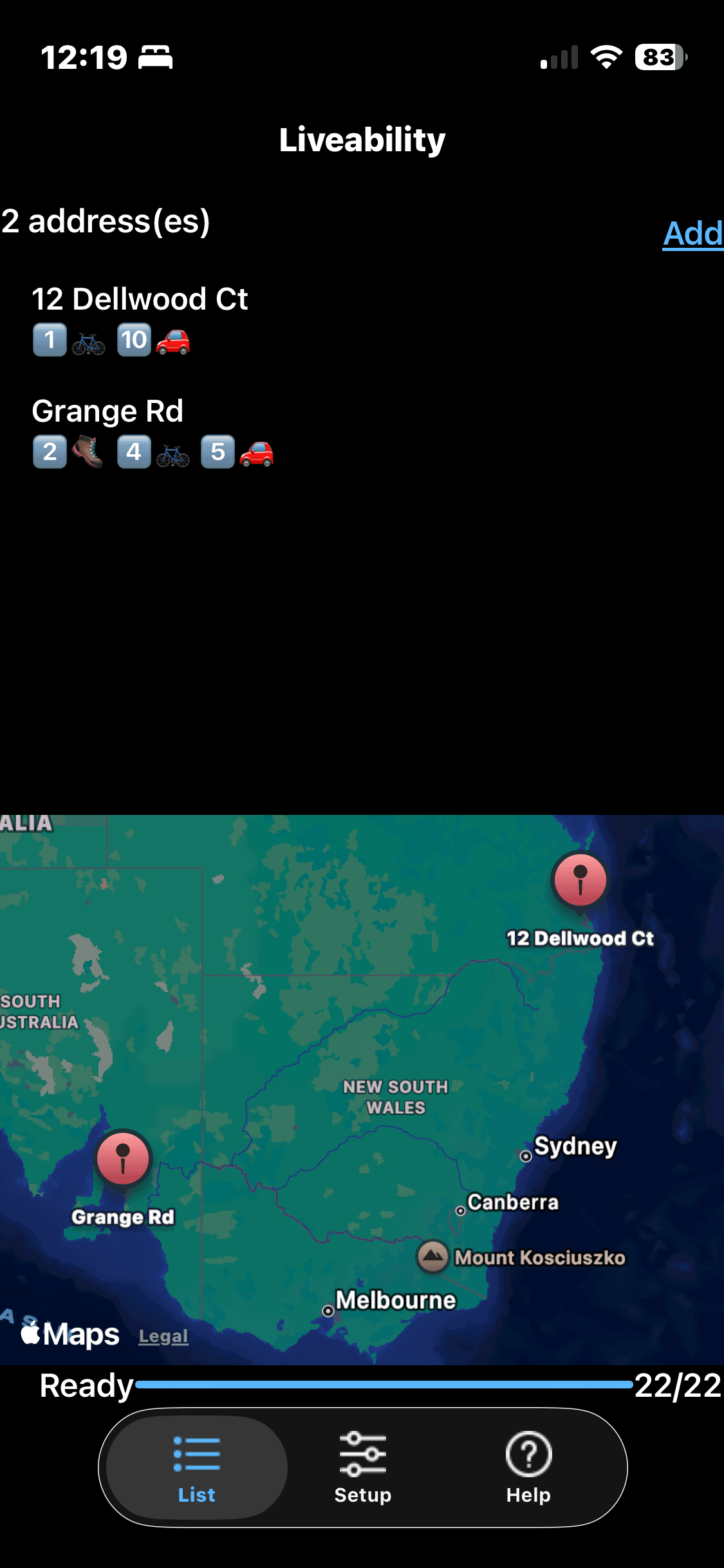
It pretty much squeezes out much of the UI capabilities of iOS Toga, but I have built in the ability to jump in and out of Apple Maps itself to view addresses and directions via Rubicon.
Too many features left to add, not enougj time, as ever…
⏱️